EasyOpenCV Pipelines
What is a pipeline?
A pipeline is essentially an encapsulation of OpenCV image processing for a specific purpose. Most image processing requires operations to run in sequence rather than in parallel — the output of step A feeds into step B, which feeds into step C, and so on. That’s where the term “pipeline” comes from. (EasyOpenCV docs)
EasyOpenCV implements this through an abstract OpenCvPipeline class that you extend when writing your own pipeline. Here’s a minimal pipeline that passes the input image through unchanged:
import org.opencv.core.Mat;
import org.openftc.easyopencv.OpenCvPipeline;

public class EmptyPipeline extends OpenCvPipeline {

    @Override
    public Mat processFrame(Mat input) {
        return input;
    }

}
The processFrame method from OpenCvPipeline must always be overridden — it’s where all your vision processing happens. It gets called every time a new frame arrives from the camera (or from a static image or video file, in the case of EOCV-Sim).
An OpenCV Mat (short for matrix) is the basic data structure used throughout OpenCV. For our purposes it holds image data, and it’s the building block for all image processing operations.
Whatever Mat you return from processFrame is what gets displayed in the live viewport. In the example above, we’re returning the input directly, so the image is shown as-is.
The simplest processing you can do in OpenCV is converting an image’s color space. The following pipeline converts the input to grayscale:
public class GrayPipeline extends OpenCvPipeline {

    @Override
    public Mat processFrame(Mat input) {
        Imgproc.cvtColor(input, input, Imgproc.COLOR_RGBA2GRAY);
        return input;
    }
}
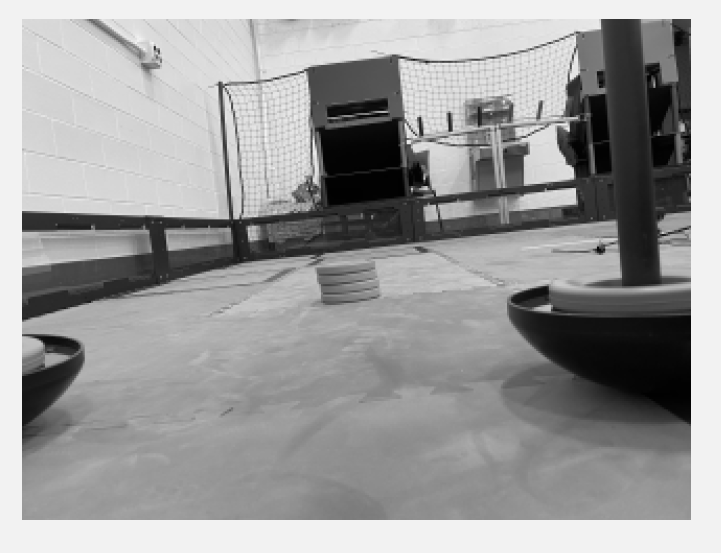
Note the conversion flag used: Imgproc.COLOR_RGBA2GRAY. This tells OpenCV to convert the input from the RGBA color space to grayscale.
EasyOpenCV always passes RGBA frames into the pipeline (red, green, blue, and alpha channels). This means any color space conversion needs to start from RGBA — for example, Imgproc.COLOR_RGBA2RGB, Imgproc.COLOR_RGB2HSV, Imgproc.COLOR_RGB2YCrCb, etc.
This article was last modified...
On 2026-05-07 23:10:31 -06:00
By Sebastian Erives
See it here:08db7ff339abde0b109efab8cb1225fc35b60156